Uncategorized

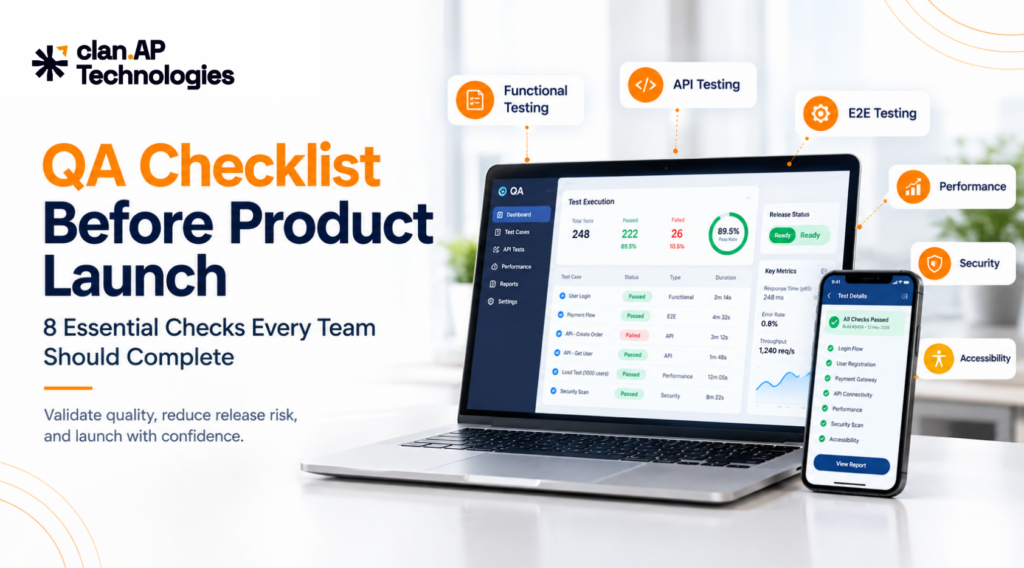
QA Checklist Before Product Launch: 8 Essential Checks Every Team Should Complete

QA Checklist Before Product Launch: 8 Essential Checks Every Team Should Complete

A QA checklist before product launch helps teams verify that software is ready for real users not just that individual features work in development. Before going live, QA should confirm that critical workflows function end to end, APIs behave correctly, the application can handle expected traffic, security risks are addressed, and production is properly configured. At clan.AP Technologies, we see one common mistake across software releases: teams test whether a feature works, but spend less time testing what happens when that feature interacts with everything around it. A checkout may work until payment fails. A login flow may work until a session expires. An API may return the correct response but expose data to the wrong user. A product may pass staging tests but behave differently in production because the environments are not configured the same way. That is why a pre-launch testing checklist should focus on risk, critical user journeys, and release readiness. Here are the eight checks we recommend before launching a software product. Why Is QA Important Before a Product Launch? Software can pass basic development checks and still fail under realistic conditions. Pre-launch QA should validate functionality, integrations, critical user journeys, APIs, performance, security, compatibility, data, and production readiness. The exact testing strategy depends on the product’s architecture, business requirements, users, traffic, and risk profile. The goal is not to test everything equally. The goal is to make sure the things that matter most to users and the business are ready for production. 1. Complete Functional Testing Functional testing verifies that features behave according to requirements and acceptance criteria. Testing should cover both successful and unsuccessful scenarios. For example, a registration flow should include successful account creation, invalid fields, duplicate emails, weak passwords, incorrect verification codes, expired links, and existing users attempting to register. Depending on the product, functional coverage may include: The important part is connecting tests to actual requirements rather than simply creating a large number of test cases. What does “passed” mean? Before release, define acceptance criteria. For example: These thresholds should be adapted to the product and its risk. 2. Perform Risk-Based Regression Testing A change in one part of an application can break functionality that previously worked. Regression testing checks important existing functionality after new features, bug fixes, integrations, configuration changes, or database updates. For example, an authentication change can affect: Login → Registration → Password Reset → Sessions → Social Login → API Authentication → Account Permissions Instead of running every regression test with equal priority, focus first on: For frequent releases, automation can reduce repetitive manual testing. Stable, high-value regression tests can be integrated into CI/CD so teams receive feedback before deployment. 3. Validate Critical User Journeys With End-to-End Testing Individual features can work correctly while a complete customer journey fails. End-to-end testing validates the complete workflow across the UI, APIs, databases, services, and external dependencies. E-commerce Search → Product → Cart → Login → Address → Checkout → Payment → Order Confirmation Test scenarios such as incorrect totals, lost cart items, failed payments, inventory issues, and missing confirmation notifications. SaaS Sign Up → Verify Email → Login → Create Workspace → Invite Team Member → Use Core Feature Check that authentication, permissions, account data, and workspace configuration remain correct throughout the journey. Fintech Login → Verification → Select Account → Initiate Transaction → Confirm → Transaction History Focus on authorization, transaction integrity, duplicate requests, failures, and correct transaction status. The key question is: Can a real user complete the entire journey successfully? For critical workflows, define pass criteria before testing. A journey should not be considered ready simply because each individual screen passed its own test. 4. Include API Testing APIs connect applications with databases, mobile apps, microservices, payment systems, and third-party platforms. A UI can look correct while the underlying API has problems with authentication, authorization, validation, error handling, or data consistency. API testing should cover: Do not test only successful responses. Validate expected behavior for common scenarios such as 200 OK, 400 Bad Request, 401 Unauthorized, 403 Forbidden, 404 Not Found, 409 Conflict, and 500 Internal Server Error. For security-focused API considerations, the OWASP API Security Project is a useful reference. For teams requiring dedicated API coverage, clan.AP Technologies provides API Testing Services focused on functionality, reliability, and performance. 5. Perform Performance and Load Testing An application that works with a small number of users may behave very differently under real traffic. Performance testing helps answer: Can the system handle the workload it is expected to receive? Depending on the product, testing may include: Monitor response time, throughput, error rate, concurrent users, CPU and memory usage, database performance, and external dependency latency. Do not use an arbitrary performance target. Define one based on the product. For example, a team might specify an agreed p95 response-time target for critical APIs and an acceptable error-rate threshold under expected load. The important point is simple: Define performance criteria before the release, not after users experience slowdowns. 6. Conduct Security and Privacy Testing Security testing is particularly important for products handling personal information, financial data, credentials, or sensitive business information. Test: For example, verify that a normal user cannot access administrator functionality and that one API user cannot access another user’s information. Security requirements should also reflect where the product operates and what data it processes. Depending on the application and market, teams may need to consider requirements associated with frameworks such as GDPR or India’s Digital Personal Data Protection framework. The exact compliance obligations should be reviewed with the appropriate legal and compliance stakeholders. The OWASP Web Security Testing Guide provides detailed testing guidance. Before launch, critical security findings should either be resolved or explicitly reviewed and accepted by the appropriate stakeholders. 7. Test Compatibility, Usability, and Accessibility Users access applications through different browsers, devices, operating systems, screen sizes, and input methods. Test the browsers and devices officially supported by your product. Check: Accessibility testing should include keyboard navigation, focus states, accessible labels, semantic structure, text alternatives, contrast,


5 Common Bugs Startups Ignore And Why They Cost More Than You Think

5 Common Bugs Startups Ignore  And Why They Cost More Than You Think

Moving Fast Shouldn’t Mean Breaking Things Startups are built around speed. New features need to ship quickly. Customer feedback needs to be implemented. Investors want to see progress. Development teams are constantly working against deadlines. But there’s one problem that often gets pushed down the priority list: software quality. A feature may work perfectly during development and still fail when real users start interacting with it. -A button may work on one browser but not another.-A payment may succeed while the order remains stuck.-An API may return unexpected data.-A new release may silently break an existing feature. These problems may look small individually, but they can create serious consequences for a growing startup. This is why startups need a structured QA testing strategy instead of treating testing as something that happens only before launch. Here are 5 common bugs startups often ignore and how to prevent them. 1. Broken User Flows and Navigation Bugs One of the most common mistakes startups make is testing individual features without testing the complete user journey. For example: Landing Page → Sign Up → Login → Dashboard → Select Plan → Checkout → Payment → Confirmation Each individual step may work correctly, but what happens when they are connected? A user might: These are known as functional and workflow bugs. Why startups ignore them Development teams often test the feature they just built rather than the entire customer journey. But users don’t experience your product feature-by-feature. They experience it as one connected journey. How to prevent them Startups should include end-to-end testing for their most important workflows. For example: Automated end-to-end testing can also help teams repeatedly validate critical user journeys after every major release. 2. API Bugs That Break the Backend Without Breaking the UI Your application may look perfectly fine on the surface while something is going wrong behind it. That’s where API testing becomes critical. Imagine a customer places an order. The frontend shows: “Order placed successfully.” But the backend fails to save the order correctly. The customer thinks everything worked. Your database says otherwise. This type of issue can result in: Why startups ignore API bugs Many teams focus heavily on what users can see. But modern applications depend on APIs to connect: Frontend → Backend → Database → Third-party services If any part of this chain fails, the user experience can eventually break. How to prevent them API testing should validate: If API quality is a concern for your product, explore clan.AP Technologies’ API Testing Services to strengthen backend validation. 3. Performance Bugs That Only Appear Under Real Traffic An application can work perfectly with 10 users and struggle badly with 10,000. This is one of the most dangerous bugs startups can ignore because performance problems aren’t always visible during development. You might experience: And sometimes the application only starts failing during peak traffic. Why startups ignore performance bugs Performance testing is often postponed until the product has already gained traction. By then, fixing the architecture can be significantly more difficult. Performance is also directly connected to user experience. Google’s Core Web Vitals guidance focuses on loading performance, responsiveness, and visual stability as important user-experience signals. How to prevent them Startups should consider: You can also use Google’s PageSpeed Insights to evaluate web performance and identify potential areas for improvement. Don’t wait for traffic to expose your application’s limits. Test those limits before your users do. 4. Security and Authentication Bugs Security bugs aren’t always obvious. Sometimes the application works exactly as expected for the wrong person. For example: A regular user might be able to access an admin page. Or a user might be able to view another customer’s information by changing an ID in the URL. Other examples include: These aren’t simply technical problems. They can become business and reputation problems. The OWASP Top 10 is a useful industry reference for understanding major web application security risks. The current 2025 edition includes risks such as Broken Access Control, Security Misconfiguration, Software Supply Chain Failures, Authentication Failures, and Software or Data Integrity Failures. How startups can reduce the risk Security should be considered throughout the development lifecycle, not only after an incident. Testing should include: The earlier security issues are identified, the easier it is to address them. 5. Regression Bugs After New Releases This is one of the most frustrating problems for startup teams. You fix one thing… …and accidentally break another. For example: Your team updates the checkout page. The checkout works. But now the discount code feature doesn’t work. Or a new dashboard update causes an existing reporting feature to fail. These are regression bugs. Why startups ignore regression testing Startups release frequently. Every new feature can interact with something that already exists. If the team manually checks every feature after every release, testing becomes slower and more expensive. If they don’t test enough, bugs can reach production. That’s where test automation and regression testing become valuable. How to prevent regression bugs Identify stable, repetitive, business-critical test cases and automate them. Good candidates include: Automation tools such as Playwright, Cypress and Maestro can help teams build repeatable regression coverage. clan.AP Technologies also provides Automation Testing Services designed to reduce repetitive manual testing and improve release confidence. Why Startups Shouldn’t Wait for Customers to Find Their Bugs Here’s the uncomfortable truth: Your customers are not your QA team. When customers discover bugs first, the cost isn’t limited to fixing the defect. You may also lose: And the larger your product becomes, the more complicated these problems can become. That’s why startups should move from: “Find bugs before launch.” to: “Build quality into every stage of development.” A Simple QA Checklist for Startups Before releasing your next major feature, ask: Functional Testing API Testing Performance Testing Security Testing Regression Testing A structured QA process helps answer these questions before your customers have to. Startups don’t need to test everything equally. They need to test what matters most. Focus first on: Critical user journeys + APIs +

3 Signs Your App Needs Testing Before It’s Too Late

3 Signs Your App Needs Testing Before It’s Too Late

Launching an app is only the beginning. Once your application reaches real users, it needs to perform reliably across different devices, operating systems, networks, browsers, and real-world usage scenarios. Unfortunately, many businesses wait until customers start reporting problems before investing in professional app testing. By then, bugs may already be affecting user experience, damaging customer trust, and creating additional work for development teams. So, how can you tell if your application needs more testing? Here are 3 signs your app needs testing and why investing in a structured QA strategy can help you deliver a more reliable digital product. Why Is App Testing Important? App testing is the process of evaluating an application’s functionality, performance, security, usability, compatibility, and overall quality before problems reach users. Depending on the application, a comprehensive QA strategy may include: Testing shouldn’t only happen immediately before launch. Integrating QA throughout the development lifecycle can help teams identify defects earlier and reduce the risk of production issues. For businesses looking for professional support, clan.AP’s QA testing solutions can help strengthen testing processes and improve software quality. Sign #1: Your Users Are Reporting Bugs and Crashes One of the clearest signs your app needs testing is an increase in user complaints. Are customers reporting that: These issues may indicate gaps in your existing functional testing, regression testing, or compatibility testing. Why User-Reported Bugs Are a Warning Sign When users discover bugs before your QA team does, your current testing process may not be covering enough real-world scenarios. For example, an application may work correctly on one Android device but fail on another. Similarly, a feature that worked in the previous version may stop working after a new release. This is where structured mobile application testing becomes important. Your QA process should consider different: The objective isn’t simply to determine whether your app works in an ideal environment. It is to determine whether it works reliably under the conditions your customers actually experience. What Should You Do? Track customer-reported issues and categorize them based on: If the same issues repeatedly appear after releases, it’s a strong indication that your QA testing strategy needs improvement. Sign #2: Your App Is Slow, Freezes, or Crashes Under Load An application can be functionally correct and still provide a poor user experience. App performance is an important part of overall software quality. If your application takes too long to load, becomes unresponsive, consumes excessive resources, or crashes when traffic increases, users may abandon it; even if the application’s core features technically work. This is a strong indication that your team should consider performance testing. Common App Performance Warning Signs Look for: Performance problems can become especially serious as your user base grows. An application that works perfectly with a small number of users may behave very differently when thousands of users access it simultaneously. How Performance Testing Helps Performance testing evaluates how an application behaves under different workloads and conditions. Depending on your application, QA teams may perform: If you’re preparing for a major product launch, marketing campaign, seasonal traffic increase, or rapid user growth, performance testing should not be an afterthought. Sign #3: Your Development Team Is Releasing Faster Than It Can Test Fast development is valuable but when testing can’t keep pace with development, quality risks increase. If your development team is continuously releasing new features while your QA team struggles to validate them, your application may be accumulating testing gaps. This commonly happens when: Faster Releases Need Smarter Testing Modern software teams need QA processes that can keep pace with continuous development. This is where test automation can help. Automated tests can repeatedly validate important workflows and reduce repetitive manual testing. For web applications, Cypress and Playwright supports end-to-end testing and can help teams validate application workflows. Cypress also supports API testing, making it useful for validating both UI and API-level scenarios. For mobile applications, Maestro and MobAI provide automation capabilities for validating UI workflows and application behavior across mobile platforms such as Android and iOS.  However, automation shouldn’t completely replace manual QA. A balanced approach can combine: Manual Testing + Automated Testing + Exploratory Testing + Performance Testing + Security Testing This provides broader coverage while allowing QA professionals to focus on scenarios where human judgment is important. 7 Questions to Ask: Does Your App Need Testing? If you answer “yes” to even a few of these questions, it may be time to evaluate your QA process: You should also ask: If several answers are “yes,” your application may benefit from a more structured software testing strategy. What Happens When You Test Earlier? Testing shouldn’t be treated as the final checkpoint before launch. When QA is integrated throughout the software development lifecycle, teams can identify defects earlier and address quality risks before they become expensive production problems. A strong QA strategy can help businesses: Google Search Central recommends creating helpful, reliable, people-first content rather than content created primarily to manipulate search rankings. The same principle is useful when thinking about your product: focus on the real needs and experiences of your users. Learn more about Google’s people-first content guidance. Why Choose Professional QA Testing Services? Building a comprehensive testing process internally can be challenging when your team has limited QA resources, tight deadlines, complex integrations, or multiple platforms to support. An experienced QA partner can provide additional expertise and testing capacity without requiring you to build an entire QA function from scratch. At clan.AP Technologies, we provide end-to-end QA solutions designed to help businesses improve product quality, identify defects, and release software with greater confidence. Our QA capabilities include: You can also explore clan.AP’s QA case studies to learn more about our approach to software quality and testing. Don’t Wait for Your Users to Find the Bugs If customers are already reporting bugs, your application is experiencing performance issues, or your development team is releasing faster than it can test, these are clear signs your app needs testing. The earlier you identify testing gaps, the easier it

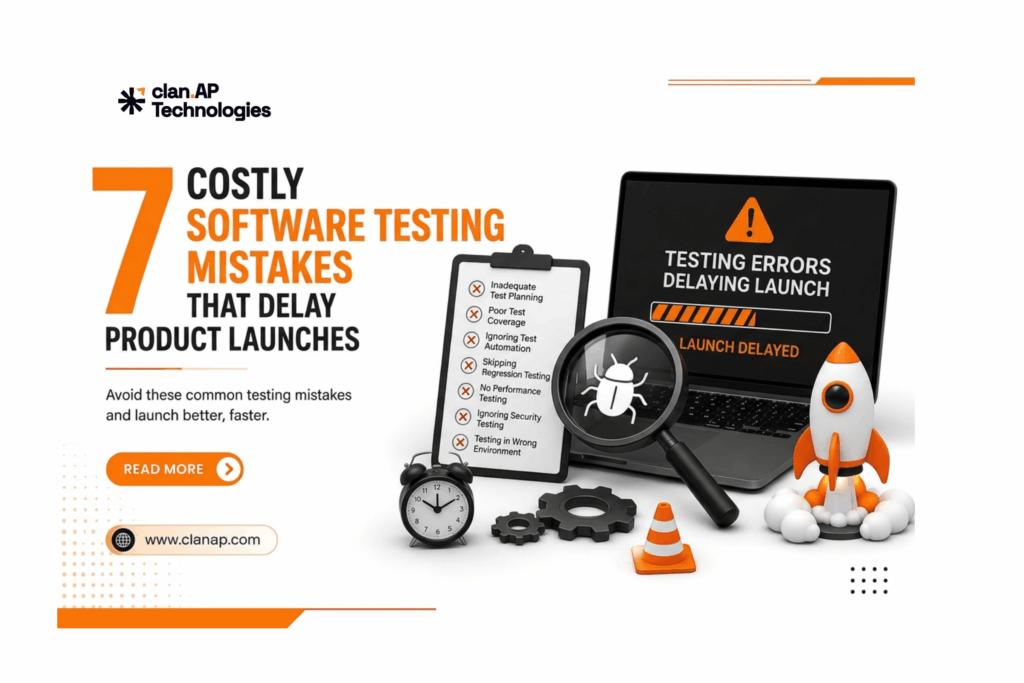
7 Costly Software Testing Mistakes That Delay Product Launches 

A successful product launch requires more than great development. It also requires a reliable software testing and quality assurance strategy. When testing is rushed, delayed, or poorly planned, teams can face unexpected bugs, additional development work, missed deadlines, and frustrated customers. According to IBM’s software testing guidance, software testing plays an important role in identifying defects and improving the reliability and quality of applications. So, what testing mistakes can cause expensive launch delays? Let’s explore seven common mistakes and how your team can avoid them. 1. Starting Testing Too Late One of the biggest software testing mistakes is waiting until development is almost finished before involving QA. When testing happens only at the end of the development cycle, critical bugs may be discovered when there is little time left to fix them. Developers then have to revisit completed work, increasing rework and delaying the release. How to avoid it Adopt a shift-left testing approach by involving QA earlier in requirements, design, and development. As explained in Microsoft’s shift-left testing guidance, moving testing earlier can help teams identify problems sooner and improve feedback throughout development. The earlier you find a defect, the easier it is usually to fix. 2. Relying Too Much on Manual Testing Manual testing remains important for exploratory testing, usability testing, and complex user scenarios. However, performing repetitive regression and functional tests manually for every release can consume significant time. For example, if your team has hundreds of regression test cases, executing all of them manually after every update can quickly become a release bottleneck. How to avoid it Combine manual testing with test automation. Automate repetitive and stable test cases such as: This allows QA professionals to spend more time on exploratory testing and high-risk scenarios while automation handles repetitive work. 3. Automating Without a Strategy Test automation can make QA faster; but automation without proper planning can create new problems. Flaky tests, difficult maintenance, unstable test environments, and unnecessary automation can reduce confidence in your test results. The goal isn’t to automate everything. How to avoid it Prioritize automation based on: Critical customer journeys and repetitive regression scenarios are often good candidates for automation. A well-planned automation strategy can improve test coverage, testing efficiency, and release confidence without creating unnecessary maintenance work. 4. Underestimating Regression Testing A new feature or bug fix can unintentionally affect existing functionality. For example, changing a login process could affect authentication, user profiles, APIs, notifications, or other connected features. Without proper regression testing, these issues may remain hidden until late in the release cycle or worse, reach production. How to avoid it Create a risk-based regression testing strategy that covers your most important workflows. Critical scenarios should be tested consistently after significant code changes. Where practical, automate these tests and integrate them into the CI/CD pipeline. This helps teams identify unexpected issues earlier and reduces last-minute release blockers. 5. Ignoring Performance and Security Testing An application can pass functional testing and still provide a poor customer experience. What happens when thousands of users access your application at the same time? Will pages remain responsive? Will APIs continue to perform? Will the system remain stable? Security is another important consideration. A vulnerability discovered immediately before launch can create significant delays. How to avoid it Include non-functional testing as part of your QA strategy: Testing these areas before launch can help identify performance bottlenecks and security risks before they affect customers. 6. Testing With Unclear Requirements Sometimes the biggest testing problem isn’t the test itself; it’s an unclear requirement. If product managers, developers, and testers have different interpretations of a feature, important scenarios can easily be missed. For example, a requirement might say: “Users can upload documents.” But what happens if the file is too large? What file formats are supported? What happens when an upload fails? Without clear acceptance criteria, these questions may only be discovered during testing. How to avoid it Make requirements clear, measurable, and testable. Before development begins, define: Clear requirements help QA teams create better test cases and reduce unnecessary rework. 7. Testing Only in an Ideal Environment “Works on my machine” doesn’t necessarily mean “works for customers.” Users may access your application through different browsers, operating systems, mobile devices, screen sizes, and network conditions. Third-party integrations and production configurations can also introduce unexpected issues. How to avoid it Test in a production-like environment whenever possible. Depending on your product, consider testing: Cross-platform and real-world testing can help identify compatibility issues before launch. How to Avoid Costly Software Testing Mistakes A successful QA strategy isn’t about testing everything manually. It’s about testing the right things at the right time. A strong approach combines: This can help teams: For teams looking to improve their overall software quality assurance process, combining these practices with continuous testing can make releases more predictable and efficient. Final Thoughts Software testing should not be treated as the final checkpoint before a product launch. Starting QA early, using automation strategically, maintaining regression coverage, and testing performance, security, APIs, and real-world environments can significantly reduce release risks. By avoiding these seven common software testing mistakes, businesses can reduce last-minute bugs, minimize rework, and improve the chances of launching on time. Better QA doesn’t have to slow down development. Done right, it can help your team release faster and with greater confidence. Improve Your QA Process With clan.AP If your team is facing limited QA resources, repetitive manual testing, regression challenges, application bugs, or release delays, clan.AP can help. At clan.AP, we provide tailored software testing and QA solutions designed to improve product quality and help teams release with confidence. Our services include: Explore clan.AP’s QA Solutions → Want to see how structured QA can solve real-world product challenges? Explore clan.AP Case Studies → Ready to reduce bugs and speed up your next release? Talk to clan.AP today and build a QA strategy that helps you launch faster with confidence.

AI in Software Testing

AI in Software Testing: How QA Teams Are Delivering Faster, Smarter Releases in 2026

AI changes how software gets built. Instead of taking someone’s job, it helps them work smarter. Working alongside people, machines speed up testing without introducing broken code. That means fewer errors show up when apps launch. Teams move quicker without raising risk. Now that Agile and DevOps dominate workflow, companies want methods of testing that stretch without breaking down. Data plays a heavy role here, what gets measured informs next steps. Releases happen often now, so speed matters just as much as accuracy. Artificial intelligence steps in at this moment, pushing results beyond manual limitations. What is AI in software testing? AI in software testing is the use of machine learning and intelligent algorithms to improve the software quality assurance process. Instead of relying entirely on manual effort, AI helps teams generate test cases, prioritize regression tests, detect UI changes, and identify high-risk areas before deployment. The objective isn’t to eliminate manual testing; it’s to make testing smarter, faster, and more reliable. For teams adopting DevOps, integrating AI with continuous testing can significantly shorten feedback cycles and improve release quality. Read clan.AP’s insights on clan.AP Technologies  to understand why this approach is becoming essential. Why AI is transforming QA Traditional testing often struggles with frequent releases because every code change requires extensive validation. AI reduces that burden by identifying which tests matter most and automating repetitive quality checks.   Traditional QA   AI-Assisted QA   Manual test creation   AI-generated test scenarios   Full regression execution   Risk-based regression testing   High script maintenance   Self-healing automation   Slower feedback   Faster defect detection The result is improved software stability without slowing development velocity. 5 practical applications of AI in software testing Creating comprehensive test cases is time-consuming. AI can analyze user stories, acceptance criteria, and application behavior to recommend relevant test scenarios. This improves test coverage while allowing QA engineers to focus on complex business logic and exploratory testing. Regression testing becomes increasingly expensive as products grow. AI evaluates historical defects, code modifications, and impacted modules to prioritize the most critical tests first. This means faster execution with higher confidence before every release. If you’re building an automation strategy, clan.AP also covers best practices in clan.AP Technologies (@clanap_technologies) . One of the biggest challenges in automation is maintaining scripts after UI updates. Modern frameworks now support intelligent locator recovery, reducing failures caused by minor interface changes. Tools like Playwright have become popular for reliable cross-browser testing and modern web automation. You can explore the official Playwright Documentation  to learn more. AI can identify unusual application behavior, visual inconsistencies, and performance anomalies much earlier than traditional workflows. Combined with automation, it helps teams discover defects before users experience them, leading to fewer production incidents and lower maintenance costs. AI doesn’t just find bugs; it provides actionable insights. By analyzing testing trends, defect density, and release history, QA leaders can make informed deployment decisions instead of relying on guesswork. This leads to more predictable releases and stronger customer trust. AI vs Manual testing: Do you still need both? Absolutely. While AI improves efficiency, human judgment remains essential for evaluating usability, accessibility, and real-world user experience. The strongest QA strategy combines: Rather than replacing QA engineers, AI empowers them to deliver higher-quality software with greater speed. Best practices for implementing AI in QA If your organization is planning to adopt AI-powered testing, follow these proven practices: For implementation guidance, the official MobAI documentation provides extensive documentation on building scalable automation frameworks. Security should be part of intelligent testing Functional testing alone isn’t enough. As applications become more connected through APIs and cloud services, security testing must be integrated into the QA lifecycle. AI can help identify risky patterns, but established security standards remain critical for comprehensive validation. A valuable resource for QA and security teams is the OWASP Web Security Testing Guide , which outlines industry best practices for identifying common web application vulnerabilities. The future of software quality starts with smarter testing AI is changing how modern QA teams work, not by replacing people, but by eliminating repetitive tasks, improving regression efficiency, and enabling faster, more confident releases. Businesses that combine intelligent automation with experienced QA engineers are better positioned to deliver reliable software and exceptional user experiences. Ready to build more reliable software? Whether you’re developing a SaaS platform, enterprise application, or customer-facing product, clan.AP helps businesses implement AI-powered software testing, automation frameworks, regression testing, and end-to-end QA solutions tailored to Agile teams. Book a Free QA Consultation and discover how smarter testing can reduce defects, accelerate releases, and improve software quality.

The Quiet Engineering Problems That Slow Down Product Grow

The Quiet Engineering Problems That Slow Down Product Grow Most product teams assume growth slows because of market pressures.Competition increases.Customer acquisition costs rise.Customer expectations evolve.While these factors influence growth, many product slowdowns originate much closer to home, inside engineering processes that struggle to keep pace with scale.A feature takes longer to release.A production issue takes longer to diagnose.A deployment requires repeated manual checks.Customer-reported defects continue to reappear.Individually, these challenges may seem manageable.Collectively, they create friction that affects every stage of product delivery.Product growth rarely slows because teams stop building.It slows when engineering teams lose confidence in their ability to release software quickly, reliably, and without introducing risk. Product Growth Relies on Software Quality Every growth initiative eventually depends on software delivery.New features must be tested.Integrations must function reliably.Customer feedback must be implemented without disrupting existing functionality.Product experiments must reach users quickly and safely.The faster organizations can validate software quality, the faster they can deliver value to customers.When quality assurance processes are weak, release confidence declines.As confidence drops, release cycles become slower, engineering resources become stretched, and product momentum suffers. The Hidden Engineering Problems Behind Slower Growth Many growth obstacles are not caused by architecture failures or major outages.They emerge quietly through gaps in software quality processes.Common examples include: ● Incomplete regression testing● Undetected API failures● Poor test coverage across critical workflows● Delayed defect identification● Manual validation processes that do not scale● Inconsistent release readiness checks● Repeated production issues from previously fixed defects These issues often remain unnoticed until delivery timelines begin slipping and customer experience starts deteriorating. When Testing Becomes a Bottleneck As applications grow, testing complexity increases.More features introduce more dependencies.More integrations create additional points of failure.More user journeys require broader validation.Teams that depend heavily on manual testing often struggle to keep pace with release demands.Developers wait longer for feedback.Testing cycles expand.Release schedules become unpredictable.Critical defects are discovered late in development.The result is slower product delivery and increased operational risk.To maintain delivery speed, organizations are increasingly adopting automated testing, API validation, and continuous testing practices that provide rapid feedback throughout the development lifecycle. Lack of Visibility Creates Delivery Risk Engineering teams cannot effectively manage risks they cannot see.Many organizations struggle to answer critical questions before deployment: ● Which business-critical workflows are most vulnerable?● What changed after the latest release?● Which APIs are likely to fail under production conditions?● How much regression risk exists before deployment?● Are customer-facing features fully validated? Without clear visibility into software quality, teams spend valuable time investigating issues rather than preventing them.This delays decision-making and reduces overall delivery efficiency. Testing Debt Often Goes Unnoticed Technical debt receives significant attention in most engineering discussions.Testing debt receives far less.Yet testing debt can be equally damaging to long-term product growth.Examples include: ● Outdated test cases● Missing automation coverage● Incomplete API testing● Poorly maintained test environments● Limited validation of database integrity● Inadequate regression testing processes Unlike technical debt, testing debt often remains hidden until release failures, customer complaints, or production incidents begin increasing.By then, the impact on engineering productivity and product delivery is already significant. Why High-Performing Teams Shift Quality Left Modern engineering organizations are moving quality assurance earlier in the development lifecycle.Instead of treating QA as a final checkpoint before release, testing becomes an ongoing process integrated into development.This approach includes: ● Automated regression testing● API testing and validation● Continuous testing within CI/CD pipelines● Database testing● Early-stage defect detection● Release readiness assessments The objective is straightforward.Identify issues when they are fastest and least expensive to fix.Early detection reduces release delays, lowers operational risk, and improves overall product reliability. Software Quality Has Become a Growth Driver Software quality is no longer only an engineering metric.It directly impacts business performance.Reliable software contributes to: ● Faster product releases● Improved customer retention● Higher user satisfaction● Reduced operational costs● Stronger brand reputation● Sustainable revenue growth Organizations that consistently deliver stable, high-quality software gain a competitive advantage because they can innovate faster while maintaining customer trust. Final Thoughts The engineering problems that slow product growth are rarely dramatic.They emerge gradually through inconsistent testing, delayed feedback cycles, limited visibility, growing testing debt, and increasing release risk.Organizations that address these challenges early build stronger delivery processes, release with greater confidence, and maintain momentum as products scale.This is where specialized QA partners create measurable value.Clan-AP Technologies helps organizations strengthen software quality across the entire development lifecycle through comprehensive QA testing services, test automation, API testing, database testing, regression testing, and release validation.By identifying risks earlier and improving software reliability, Clan-AP enables engineering teams to release faster, reduce production defects, and support sustainable product growth with confidence.

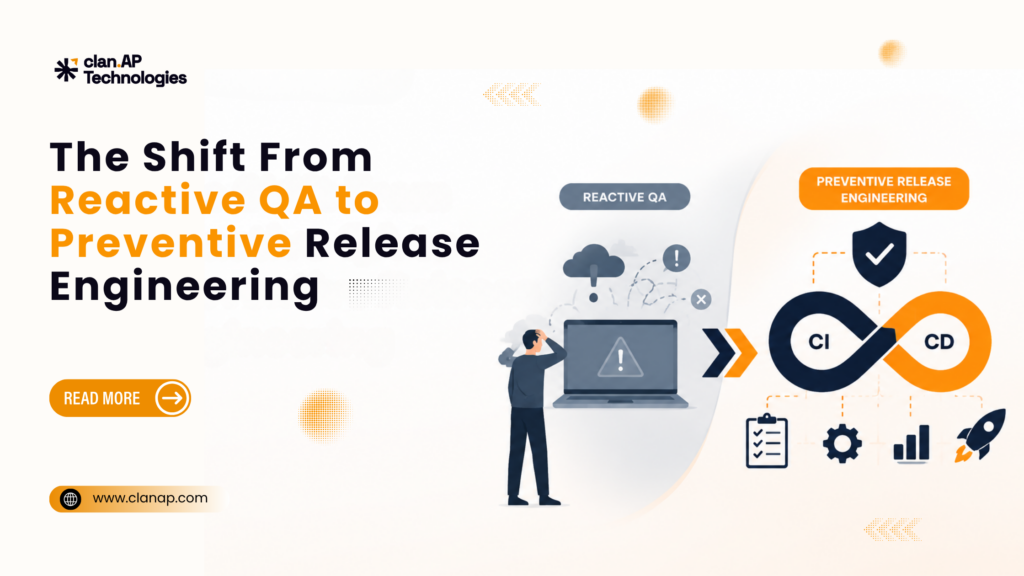
The Shift From Reactive QA to Preventive Release Engineering

The Shift From Reactive QA to Preventive Release Engineering Most production issues don’t start in production. They usually begin much earlier during development, inside rushed releases, incomplete test coverage, unstable environments, or deployment pipelines nobody fully trusts anymore. The actual failure just happens to surface later, when users finally feel the impact. That’s the part many engineering teams are starting to rethink. For a long time, QA was treated as the final checkpoint before release. Developers built features, QA validated them, and operations pushed them live. The model worked reasonably well when releases were slower and systems were simpler. Modern software doesn’t move that way anymore. Teams now deploy continuously across distributed systems, APIs, cloud environments, and multiple user platforms at once. Releases happen faster, dependencies grow larger, and the cost of unstable deployments gets harder to absorb. That pressure is changing how organizations think about software quality. Reactive QA Is Starting to Show Its Limits Traditional QA is mostly reactive by design. Something gets built, then testing begins. Issues found late in the cycle mean scrambling to fix them before deployment. Sometimes the fixes introduce new problems. Sometimes releases slip. Sometimes bugs still make it through anyway. The problem isn’t that QA teams aren’t doing their job. The problem is that modern release complexity moves faster than traditional validation cycles were built to handle. By the time a critical issue surfaces: developers have already moved on to the next thing debugging takes longer than it should release pressure pushes decisions that shouldn’t be rushed operational risk quietly stacks up And when deployments happen daily  or multiple times a day those gaps don’t stay small. Preventive Release Engineering Changes the Mindset Preventive release engineering approaches quality from a different angle. Instead of asking: “Did we catch enough bugs before release?” the focus becomes: “How do we reduce release risk throughout the entire delivery process?” That changes what testing actually means. Quality stops being something that happens at the end and becomes part of how releases are built from the start. The goal shifts toward: finding instability before it compounds building confidence in what’s actually being shipped reducing production risk continuously, not just at cutoff making release reliability something the team can measure and improve It’s less about reacting to failures and more about not letting them quietly build up unnoticed. Why Teams Are Moving Earlier in the Pipeline One of the clearest changes in modern engineering is how early validation now happens. Testing is increasingly built directly into development workflows through: Automated regression testing CI/CD validation gates API contract testing Release health checks Performance monitoring Environment stability checks The reason isn’t complicated: problems found early cost far less to fix than problems found in production. A production failure can hit: customer trust platform reliability engineering velocity internal operations and escalations The same issue caught during development might take minutes to resolve. That gap matters a lot more when systems are large and moving fast. Stability Is Becoming a Business Concern What’s worth noting is that release stability is no longer just an engineering metric. Unstable software affects: customer experience retention operational efficiency product adoption how the brand is perceived A team can ship features on schedule and still frustrate users if releases feel shaky or unpredictable. That’s why engineering leaders are paying closer attention to things like: deployment confidence scores defect escape rates observability coverage release readiness signals automation maturity across the pipeline Software quality connects directly to business performance now, not just technical performance. That’s a different conversation than it was five years ago. Automation Alone Isn’t the Answer A lot of teams hear “preventive release engineering” and assume it just means adding more automation. But automation without the right foundation creates its own problems: flaky pipelines that nobody trusts tests that pass locally and fail in staging noisy alerts that get ignored deployments that slow down instead of speed up The goal isn’t more tests. It’s building systems that give teams genuine confidence in what they’re shipping. That takes: stable, well-maintained QA processes test coverage that actually reflects real user paths reliable environments that behave consistently strong observability so problems surface before users report them release visibility that the whole team can read and act on The engineering teams that get this right treat quality as something continuous woven into the delivery process, not bolted on at the end. Final Thoughts As software delivery gets faster and more distributed, reactive QA models become harder to sustain on their own. Modern engineering teams are shifting toward preventive release engineering because stable releases now depend less on catching bugs at the last minute and more on reducing risk throughout the whole process. That shift is changing how organizations approach testing, deployment confidence, and release reliability as a whole. It’s also why companies scaling modern platforms increasingly work with experienced QA partners like Clan-AP Technologies to strengthen release processes, improve testing maturity, and build more reliable software delivery systems before production issues start affecting users.

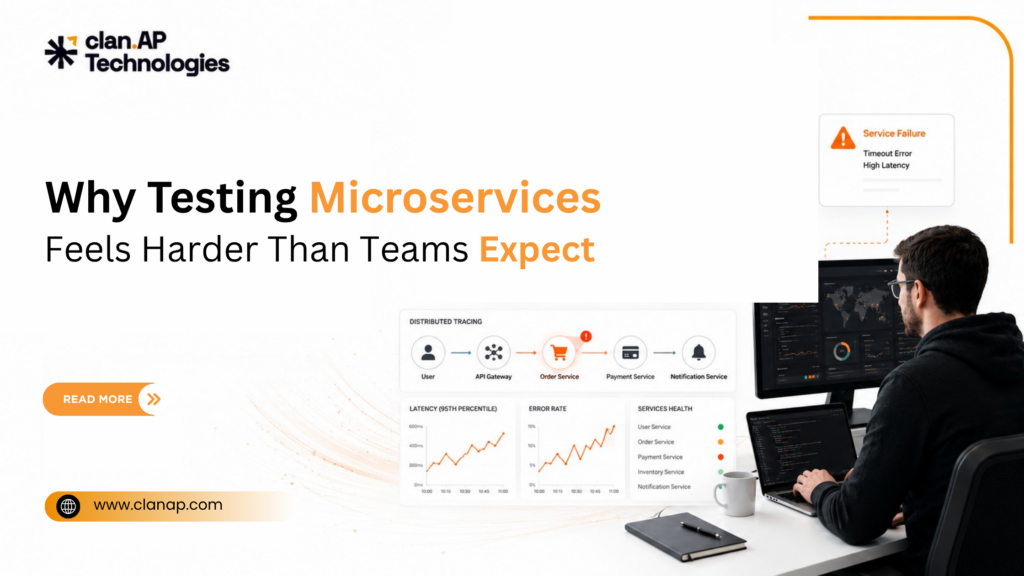
Why Testing Microservices Feels Harder Than Teams Expect

Why Testing Microservices Feels Harder Than Teams Expect Here’s something most engineering teams only realize in hindsight: testing was actually pretty manageable back when everything lived in a monolith. Run the app locally. Hit some endpoints. Check the database. You’d usually know within minutes whether something was broken or not. The codebase might’ve been a nightmare, but at least it was one nightmare  sitting right there in front of you. Microservices took that away. Now you’re not dealing with one system. You’re dealing with thirty services in constant conversation over a network that lies to you regularly. Latency spikes, timeouts, partial failures  none of it shows up cleanly, and none of it is easy to reproduce when something goes wrong. Most teams don’t fully feel this until they’re already committed to the architecture. By then, it’s too late to be surprised by it. The Environment Problem Hits First Ask any QA engineer who’s worked on a mature microservices platform what the first real pain point was, and environments usually come up fast. You want a production like setup for testing. You can’t actually have one, at least not locally, so you improvise: some services get mocked others get stubbed a shared staging environment becomes everyone’s default It works. Until it doesn’t. Mocks quietly drift from how the real service behaves. Stubs cover the happy path and nothing else. The shared staging environment starts becoming unreliable because three teams are deploying to it at the same time, and nobody’s fully sure what state it’s in on any given afternoon. Then a test fails and the real question isn’t “what broke”  it’s “whose thing broke.” That ambiguity eats time. More than most teams budget for. End-to-End Tests Don’t Scale the Way You’d Hope The instinct is to add more end-to-end tests as the system grows. Cover more ground, catch more problems. It sounds right. In practice, it tends to go the other way. As more services get added, end-to-end tests get: slower to run more brittle to maintain harder to debug when they fail increasingly noisy as a signal A single user flow might pass through authentication, payments, notifications, inventory, and a recommendation engine before completing. When something in that chain misbehaves, the error surfaces somewhere downstream  often several hops away from the actual cause. At that point, traditional QA instincts start working against you. Contract Testing Is Where Most Teams Eventually Land Rather than testing the whole system together every time, contract testing focuses on the agreements between services, what each one expects to send and receive, and whether those expectations still hold. Pact is the tool most teams reach for. The appeal is real: services can be tested independently integration failures get caught earlier you don’t need a fully wired environment to validate compatibility The part that catches teams off guard is the upkeep. Contracts only stay useful if someone’s maintaining them, which requires ongoing coordination between teams. When that communication slips and it does, contracts go stale and give you false confidence instead of real coverage. It’s a technical solution with a people problem attached to it. Distributed Failures Are a Different Animal When a monolith breaks, the failure is usually obvious. Stack trace, error log, clear cause. Microservices break differently. A request moves through eight services, fails on the fifth, and surfaces an error on the eighth. The thing you’re looking at isn’t the thing that caused the problem. Without distributed tracing in place, debugging that kind of failure is a proper headache. Tools like: Jaeger Zipkin OpenTelemetry centralized, correlated logging aren’t optional extras in this environment  they’re what makes the system debuggable at all. The insight a lot of teams arrive at eventually: good observability matters more than more test cases. Knowing why something failed is often more valuable than catching that it failed in the first place. Load Testing Needs to Think in Systems, Not Components Stress-testing individual services in isolation is useful. It’s also incomplete. The failures that hurt most in microservices come from interactions, not individual components. One slow service backs up a queue. The queue backup causes retries. The retries add load to a service that was already under pressure. That service starts timing out, which cascades somewhere else entirely. A service can pass every isolated load test you run and still take down part of the system under real traffic conditions. Performance testing has to account for how services behave together, under realistic load patterns, not just how each one holds up on its own. What Testing Really Becomes in Distributed Systems The old model was simple: write tests, verify behavior, ship. That model assumes conditions are mostly predictable. Microservices don’t give you that. You’re working with: network latency that varies partial outages that don’t always surface cleanly schema drift that builds up silently between services async communication that fails in non-obvious ways Testing shifts from validating that things work under ideal conditions to understanding how the system behaves when conditions aren’t ideal. The teams that handle this well aren’t just testing for success they’re actively testing for failure, and learning from it. Where This Leaves Most Teams The tooling for microservices testing has matured a lot. That’s not usually the gap. The harder part is building the processes around it  keeping contracts current, investing in observability before you feel the pain of not having it, and making sure load testing reflects how the system actually behaves in production rather than in a vacuum. That’s exactly why organizations working at scale increasingly bring in experienced QA partners like Clan AP Technologies  to close those gaps, build testing strategies that hold up under real conditions, and take the operational risk out of growing a distributed architecture.

Why Continuous Testing Is Becoming Essential for DevOps Teams

Why Continuous Testing Is Becoming Essential for DevOps Teams There’s a pattern you start noticing after reading enough engineering postmortems. The bug usually wasn’t introduced yesterday. It had been sitting in the system quietly for weeks. It passed the code review. It survived QA. It moved through staging without anyone noticing. Then a deployment goes live, alerts start firing, and suddenly the team is in firefighting mode. What’s interesting is that this rarely happens because engineers are careless. More often, it’s because software delivery has evolved faster than testing practices. And that’s exactly why continuous testing is becoming such an important part of modern DevOps teams. DevOps Increased Speed  But Testing Often Stayed the Same DevOps changed how teams ship software. Releases that once happened every few weeks now happen daily. In some companies, deployments happen multiple times a day without much friction. CI/CD pipelines made building and deploying software dramatically faster. But testing in many organizations still follows an older approach: build first, test later. That model starts breaking down when release cycles become shorter. When testing happens too late: bugs stay hidden longer developers lose context fixes take more effort release confidence drops The issue usually isn’t a lack of testing. It’s delayed feedback. Continuous testing solves that by moving validation throughout the development lifecycle instead of leaving it until the end. Continuous Testing Isn’t Just About Automation A lot of teams assume automated testing automatically means continuous testing. Not really. If a test suite takes an hour to run and developers ignore half the failures because the pipeline is unreliable, the process isn’t helping much. For continuous testing to actually work, feedback needs to be: fast reliable trusted by the team That’s why mature engineering teams focus heavily on things like: lightweight unit tests stable CI pipelines reducing flaky tests faster regression cycles Because once engineers stop trusting the pipeline, release stability usually starts slipping too. And honestly, flaky tests are one of the fastest ways to lose that trust. Most developers have experienced this: a test fails, someone reruns the build, and suddenly everything passes. Over time, people stop treating failures seriously. The pipeline becomes noise instead of signal. Testing Is Becoming Everyone’s Responsibility In DevOps, one of the most significant changes is cultural rather than technical. Traditionally, testing was handled by QA after development was finished. Earlier, development, testing, and deployment worked in separate stages. Developers wrote the code, QA teams tested it later, and operations handled the release. But modern DevOps teams don’t really have the luxury of working in silos anymore. The “shift-left” approach changes that by bringing testing much earlier into the development process and making quality something the entire team is responsible for, not just QA. That changes how engineers build software. When developers know their code will be validated immediately: they think more about edge cases systems become easier to test issues are caught earlier fewer surprises reach production One of the biggest myths in software development is that testing slows teams down. In reality, unstable releases slow teams down far more. The Hard Part Usually Isn’t the Tools Most teams already have testing tools. What they often struggle with is: inconsistent processes legacy systems unreliable environments weak testing maturity Additionally, this is particularly challenging with legacy systems. Implementing continuous testing becomes a long effort rather than an overnight transformation because older systems were sometimes not designed with automated testing in mind.  That’s why continuous testing is rarely just a tooling decision. It’s an operational mindset shift. Why This Matters More as Products Scale The larger a product becomes, the more expensive release instability gets. A small bug affecting a handful of users might be manageable. The same issue in a growing SaaS platform can quickly turn into: customer frustration emergency engineering work delayed releases support escalations At some point, release stability stops being just a QA concern. It becomes a business concern. That’s why more engineering leaders are prioritizing continuous testing  not simply to improve quality, but to improve confidence in shipping software quickly without constantly worrying about what might break next. Final Thoughts Modern DevOps teams move too quickly for delayed testing cycles. Testing can no longer operate as a final checkpoint before deployment. It needs to function as a continuous layer of validation throughout the delivery pipeline. The teams that invest in continuous testing early usually experience the same outcome: more predictable releases, fewer production surprises, and less time spent firefighting issues after deployment. That’s also why companies increasingly work with experienced QA partners like Clan AP Technologies  to strengthen release stability, improve testing maturity, and support faster software delivery without compromising quality. Lorem ipsum dolor sit amet, consectetur adipiscing elit. Ut elit tellus, luctus nec ullamcorper mattis, pulvinar dapibus leo.

When Your POS System Breaks Mid-Dinner Rush, QA Stops Being Technical

When Your POS System Breaks Mid-Dinner Rush, QA Stops Being Technical There’s a specific kind of failure that no dashboard prepares you for. It’s 8:15 PM on a Saturday. The weekend crowd is pouring in. Tables are full. Orders are stacking faster than the kitchen can process them. Delivery riders are waiting near the counter. A customer taps their card again while another asks why their bill hasn’t printed yet. Then it happens. The receipt printer freezes. The POS stops responding. The staff starts panicking.And at that moment, quality assurance is no longer a backend function. It becomes the difference between a restaurant running smoothly and complete operational chaos. This was the reality for a restaurant POS platform before Clan-AP Technologies stepped in. This Wasn’t a Bug Problem. It Was a System Failure What looked like “issues” on the surface were actually symptoms of something deeper: No structured QA process No regression testing No consistency across devices No validation between frontend actions and backend responses So problems didn’t just exist, they multiplied. A deployment would fix one issue and quietly break another. Payment terminals would fall out of sync. Printers would stop mid-service. The same feature behaved differently on desktop and mobile. And the most expensive issue of all? No one knew what would break next. In a live restaurant environment, unpredictability is failure. Building QA Like Infrastructure, Not Cleanup Instead of patching issues, Clan-AP rebuilt the foundation. The first step wasn’t tools. It was understanding reality. How does a cashier actually use the system during peak hours? What happens when a driver gets reassigned mid-order? What if a payment goes through but doesn’t reflect in the system? From this, the team built a real-world testing layer: 1,000+ test cases covering actual workflows and edge scenarios Role-based testing across cashiers, customers, and delivery staff API validation to ensure backend accuracy not just UI behavior Because in systems like these, what looks correct isn’t enough. The data has to be right. The Hard Part: Testing Beyond Software Most QA strategies break when hardware enters the picture. Payment terminals. Receipt printers. Device sync issues. These aren’t clean, predictable environments. They fail in messy, real-world ways. Clan-AP approached this deliberately: Repeated hardware integration testing Validation across different device states Ensuring software and physical systems stayed in sync under stress Because in a restaurant, a delayed print or failed transaction isn’t a minor operational disruption. Automation Changed the Speed of Everything Manual testing can find issues. But it can’t keep up with continuous change. So Clan-AP built a Playwright automation framework using the Page Object Model designed for scalability and maintainability. More than 900 automated test scripts Both desktop and mobile coverage designed to change as the user interface does The actual change then occurred: The CI/CD pipeline incorporates automation.  Every build triggered the test suite. Which meant: Bugs were caught within minutes not after release Regressions stopped reaching production Developers could ship without second-guessing existing code This isn’t just efficiency. It’s a different way of building software. What Actually Changed The measurable impact: 30% faster issue detection and resolution 50% reduction in manual testing effort 900+ automated test cases running continuously But the real shift wasn’t in numbers. It was in behavior. Engineering teams stopped firefighting. They started building. As the client put it: “We’ve been able to scale our product with confidence and focus more on innovation rather than troubleshooting.” That’s what good QA does. It doesn’t just prevent problems, it gives time back. When Systems Work, People Don’t Notice. That’s the point. For restaurant staff, the change was simple: The system behaved consistently Payments processed reliably Printers worked when needed Nothing “randomly broke” mid-service Which meant they could focus on customers not software. And that’s the real benchmark of quality: When technology disappears from the experience. The Takeaway Most Teams Miss QA is still treated as a final checkpoint in most products. Something you do before release. Something you “add” later. That approach guarantees one thing: You’ll always be reacting. The alternative is harder but far more valuable: Treat QA as infrastructure Build it early Automate what repeats Connect it directly to your deployment cycle Because if your system only works when nothing goes wrong, it isn’t stable, it’s lucky. And in high-pressure environments, luck runs out fast. If your product has ever broken under real usage, not just test conditions, you’re not dealing with isolated bugs. You’re dealing with a system that hasn’t been tested the way it’s actually used. That’s where the real work begins.