
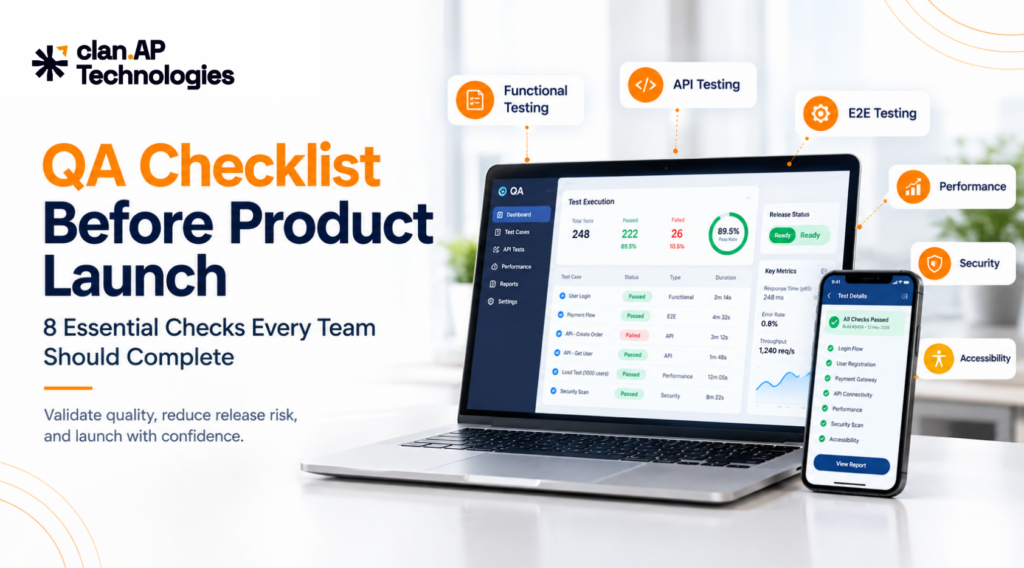
QA Checklist Before Product Launch: 8 Essential Checks Every Team Should Complete
A QA checklist before product launch helps teams verify that software is ready for real users not just that individual features work in development. Before going live, QA should confirm that critical workflows function end to end, APIs behave correctly, the application can handle expected traffic, security risks are addressed, and production is properly configured. At clan.AP Technologies, we see one common mistake across software releases: teams test whether a feature works, but spend less time testing what happens when that feature interacts with everything around it. A checkout may work until payment fails. A login flow may work until a session expires. An API may return the correct response but expose data to the wrong user. A product may pass staging tests but behave differently in production because the environments are not configured the same way. That is why a pre-launch testing checklist should focus on risk, critical user journeys, and release readiness. Here are the eight checks we recommend before launching a software product. Why Is QA Important Before a Product Launch? Software can pass basic development checks and still fail under realistic conditions. Pre-launch QA should validate functionality, integrations, critical user journeys, APIs, performance, security, compatibility, data, and production readiness. The exact testing strategy depends on the product’s architecture, business requirements, users, traffic, and risk profile. The goal is not to test everything equally. The goal is to make sure the things that matter most to users and the business are ready for production. 1. Complete Functional Testing Functional testing verifies that features behave according to requirements and acceptance criteria. Testing should cover both successful and unsuccessful scenarios. For example, a registration flow should include successful account creation, invalid fields, duplicate emails, weak passwords, incorrect verification codes, expired links, and existing users attempting to register. Depending on the product, functional coverage may include: The important part is connecting tests to actual requirements rather than simply creating a large number of test cases. What does “passed” mean? Before release, define acceptance criteria. For example: These thresholds should be adapted to the product and its risk. 2. Perform Risk-Based Regression Testing A change in one part of an application can break functionality that previously worked. Regression testing checks important existing functionality after new features, bug fixes, integrations, configuration changes, or database updates. For example, an authentication change can affect: Login → Registration → Password Reset → Sessions → Social Login → API Authentication → Account Permissions Instead of running every regression test with equal priority, focus first on: For frequent releases, automation can reduce repetitive manual testing. Stable, high-value regression tests can be integrated into CI/CD so teams receive feedback before deployment. 3. Validate Critical User Journeys With End-to-End Testing Individual features can work correctly while a complete customer journey fails. End-to-end testing validates the complete workflow across the UI, APIs, databases, services, and external dependencies. E-commerce Search → Product → Cart → Login → Address → Checkout → Payment → Order Confirmation Test scenarios such as incorrect totals, lost cart items, failed payments, inventory issues, and missing confirmation notifications. SaaS Sign Up → Verify Email → Login → Create Workspace → Invite Team Member → Use Core Feature Check that authentication, permissions, account data, and workspace configuration remain correct throughout the journey. Fintech Login → Verification → Select Account → Initiate Transaction → Confirm → Transaction History Focus on authorization, transaction integrity, duplicate requests, failures, and correct transaction status. The key question is: Can a real user complete the entire journey successfully? For critical workflows, define pass criteria before testing. A journey should not be considered ready simply because each individual screen passed its own test. 4. Include API Testing APIs connect applications with databases, mobile apps, microservices, payment systems, and third-party platforms. A UI can look correct while the underlying API has problems with authentication, authorization, validation, error handling, or data consistency. API testing should cover: Do not test only successful responses. Validate expected behavior for common scenarios such as 200 OK, 400 Bad Request, 401 Unauthorized, 403 Forbidden, 404 Not Found, 409 Conflict, and 500 Internal Server Error. For security-focused API considerations, the OWASP API Security Project is a useful reference. For teams requiring dedicated API coverage, clan.AP Technologies provides API Testing Services focused on functionality, reliability, and performance. 5. Perform Performance and Load Testing An application that works with a small number of users may behave very differently under real traffic. Performance testing helps answer: Can the system handle the workload it is expected to receive? Depending on the product, testing may include: Monitor response time, throughput, error rate, concurrent users, CPU and memory usage, database performance, and external dependency latency. Do not use an arbitrary performance target. Define one based on the product. For example, a team might specify an agreed p95 response-time target for critical APIs and an acceptable error-rate threshold under expected load. The important point is simple: Define performance criteria before the release, not after users experience slowdowns. 6. Conduct Security and Privacy Testing Security testing is particularly important for products handling personal information, financial data, credentials, or sensitive business information. Test: For example, verify that a normal user cannot access administrator functionality and that one API user cannot access another user’s information. Security requirements should also reflect where the product operates and what data it processes. Depending on the application and market, teams may need to consider requirements associated with frameworks such as GDPR or India’s Digital Personal Data Protection framework. The exact compliance obligations should be reviewed with the appropriate legal and compliance stakeholders. The OWASP Web Security Testing Guide provides detailed testing guidance. Before launch, critical security findings should either be resolved or explicitly reviewed and accepted by the appropriate stakeholders. 7. Test Compatibility, Usability, and Accessibility Users access applications through different browsers, devices, operating systems, screen sizes, and input methods. Test the browsers and devices officially supported by your product. Check: Accessibility testing should include keyboard navigation, focus states, accessible labels, semantic structure, text alternatives, contrast,