
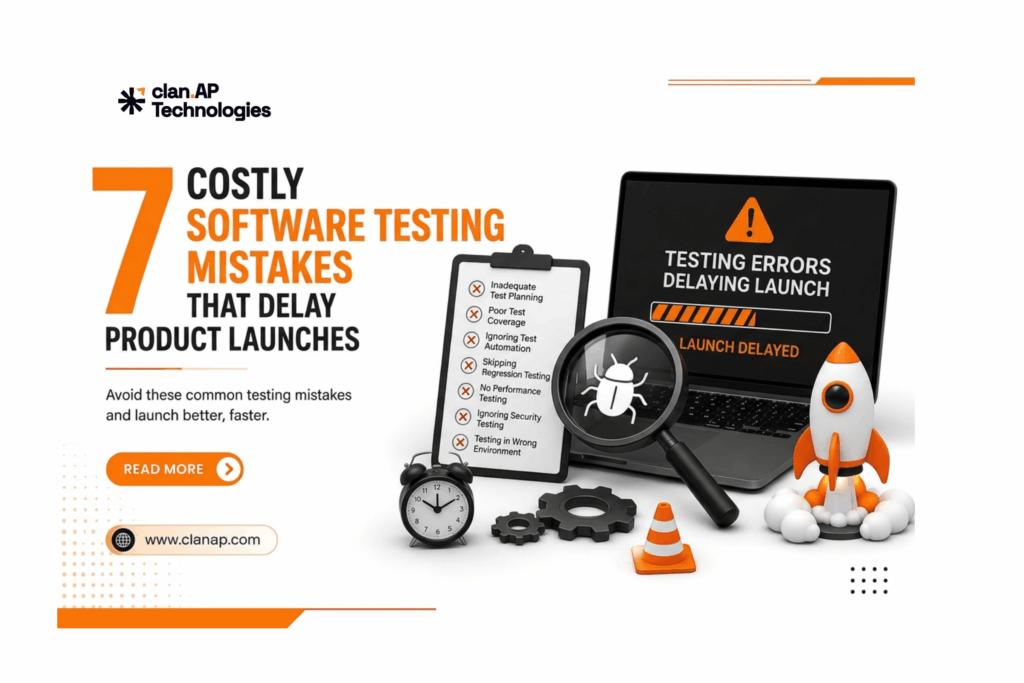
A successful product launch requires more than great development. It also requires a reliable software testing and quality assurance strategy.
When testing is rushed, delayed, or poorly planned, teams can face unexpected bugs, additional development work, missed deadlines, and frustrated customers.
According to IBM’s software testing guidance, software testing plays an important role in identifying defects and improving the reliability and quality of applications.
So, what testing mistakes can cause expensive launch delays?
Let’s explore seven common mistakes and how your team can avoid them.
1. Starting Testing Too Late
One of the biggest software testing mistakes is waiting until development is almost finished before involving QA.
When testing happens only at the end of the development cycle, critical bugs may be discovered when there is little time left to fix them. Developers then have to revisit completed work, increasing rework and delaying the release.
How to avoid it
Adopt a shift-left testing approach by involving QA earlier in requirements, design, and development.
As explained in Microsoft’s shift-left testing guidance, moving testing earlier can help teams identify problems sooner and improve feedback throughout development.
The earlier you find a defect, the easier it is usually to fix.
2. Relying Too Much on Manual Testing
Manual testing remains important for exploratory testing, usability testing, and complex user scenarios.
However, performing repetitive regression and functional tests manually for every release can consume significant time.
For example, if your team has hundreds of regression test cases, executing all of them manually after every update can quickly become a release bottleneck.
How to avoid it
Combine manual testing with test automation.
Automate repetitive and stable test cases such as:
- Regression testing
- Smoke testing
- API testing
- Cross-browser testing
- Repetitive functional tests
This allows QA professionals to spend more time on exploratory testing and high-risk scenarios while automation handles repetitive work.
3. Automating Without a Strategy
Test automation can make QA faster; but automation without proper planning can create new problems.
Flaky tests, difficult maintenance, unstable test environments, and unnecessary automation can reduce confidence in your test results.
The goal isn’t to automate everything.
How to avoid it
Prioritize automation based on:
- Business impact
- Test frequency
- Risk level
- Test stability
- Time required for manual execution
Critical customer journeys and repetitive regression scenarios are often good candidates for automation.
A well-planned automation strategy can improve test coverage, testing efficiency, and release confidence without creating unnecessary maintenance work.
4. Underestimating Regression Testing
A new feature or bug fix can unintentionally affect existing functionality.
For example, changing a login process could affect authentication, user profiles, APIs, notifications, or other connected features.
Without proper regression testing, these issues may remain hidden until late in the release cycle or worse, reach production.
How to avoid it
Create a risk-based regression testing strategy that covers your most important workflows.
Critical scenarios should be tested consistently after significant code changes. Where practical, automate these tests and integrate them into the CI/CD pipeline.
This helps teams identify unexpected issues earlier and reduces last-minute release blockers.
5. Ignoring Performance and Security Testing
An application can pass functional testing and still provide a poor customer experience.
What happens when thousands of users access your application at the same time?
Will pages remain responsive? Will APIs continue to perform? Will the system remain stable?
Security is another important consideration. A vulnerability discovered immediately before launch can create significant delays.
How to avoid it
Include non-functional testing as part of your QA strategy:
- Performance testing
- Load testing
- Stress testing
- Security testing
- API testing
- Scalability testing
Testing these areas before launch can help identify performance bottlenecks and security risks before they affect customers.
6. Testing With Unclear Requirements
Sometimes the biggest testing problem isn’t the test itself; it’s an unclear requirement.
If product managers, developers, and testers have different interpretations of a feature, important scenarios can easily be missed.
For example, a requirement might say:
“Users can upload documents.”
But what happens if the file is too large? What file formats are supported? What happens when an upload fails?
Without clear acceptance criteria, these questions may only be discovered during testing.
How to avoid it
Make requirements clear, measurable, and testable.
Before development begins, define:
- Expected functionality
- Acceptance criteria
- User roles
- Error scenarios
- Edge cases
- Integration requirements
- Performance expectations
Clear requirements help QA teams create better test cases and reduce unnecessary rework.
7. Testing Only in an Ideal Environment
“Works on my machine” doesn’t necessarily mean “works for customers.”
Users may access your application through different browsers, operating systems, mobile devices, screen sizes, and network conditions.
Third-party integrations and production configurations can also introduce unexpected issues.
How to avoid it
Test in a production-like environment whenever possible.
Depending on your product, consider testing:
- Chrome, Safari, Firefox, and Edge
- Android and iOS devices
- Different screen sizes
- Different network conditions
- Third-party integrations
- Realistic data volumes
Cross-platform and real-world testing can help identify compatibility issues before launch.
How to Avoid Costly Software Testing Mistakes
A successful QA strategy isn’t about testing everything manually. It’s about testing the right things at the right time.
A strong approach combines:
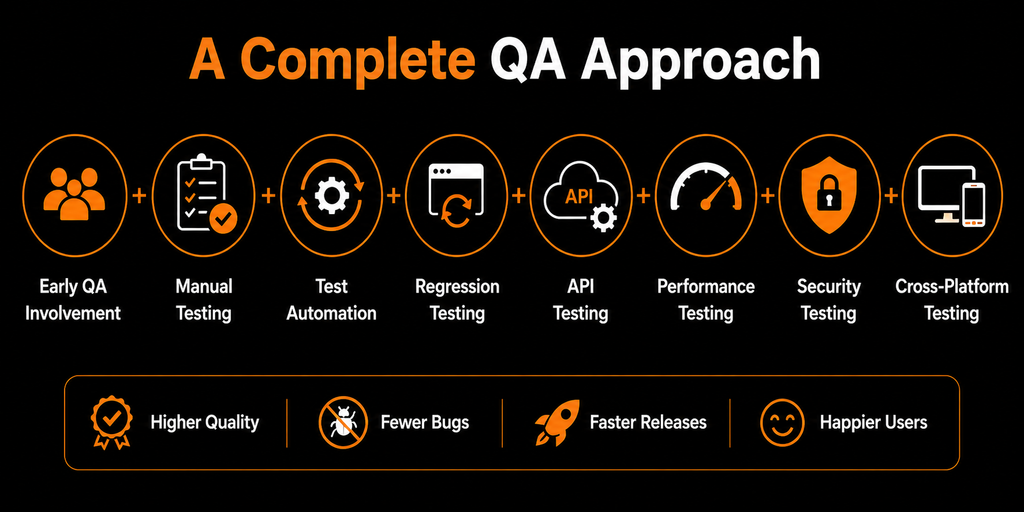
This can help teams:
- Detect defects earlier
- Reduce development rework
- Improve test coverage
- Shorten testing cycles
- Increase release confidence
- Deliver better customer experiences
For teams looking to improve their overall software quality assurance process, combining these practices with continuous testing can make releases more predictable and efficient.
Final Thoughts
Software testing should not be treated as the final checkpoint before a product launch.
Starting QA early, using automation strategically, maintaining regression coverage, and testing performance, security, APIs, and real-world environments can significantly reduce release risks.
By avoiding these seven common software testing mistakes, businesses can reduce last-minute bugs, minimize rework, and improve the chances of launching on time.
Better QA doesn’t have to slow down development. Done right, it can help your team release faster and with greater confidence.
Improve Your QA Process With clan.AP
If your team is facing limited QA resources, repetitive manual testing, regression challenges, application bugs, or release delays, clan.AP can help.
At clan.AP, we provide tailored software testing and QA solutions designed to improve product quality and help teams release with confidence.
Our services include:
- Manual & Automation Testing
- API Testing
- Performance & Security Testing
- Mobile App Testing
- UI/UX Testing
- Cross-Platform QA
Explore clan.AP’s QA Solutions →
Want to see how structured QA can solve real-world product challenges?
Explore clan.AP Case Studies →
Ready to reduce bugs and speed up your next release?
Talk to clan.AP today and build a QA strategy that helps you launch faster with confidence.